
Image Colorizer

The Img ai Image Colorizer reads a grayscale photograph and predicts the colors that plausibly fit what the camera recorded. Every hue is inferred rather than recovered, so the original stays beside the result for comparison.

JPG, PNG, WebPUp to 10 MB256–4,096 px per sideDrag to compare

Color inference

Colorize a black-and-white photo

Upload one grayscale image, run a single automatic pass, then compare the inferred color against the original before you keep it.

Upload photo(0/1)

Automatic colorization

One inference pass over the whole frame. There is no palette picker, strength slider, or region brush, because this backend does not expose them.

10 credits

Source

Output

1K render · same framing

10 credits for this runView pricing
Ready
Inferred color · not a color record

Your colorized photo will appear here

Upload a grayscale JPG, PNG, or WebP between 256 and 4,096 pixels per side to check it and prepare a colorization pass.

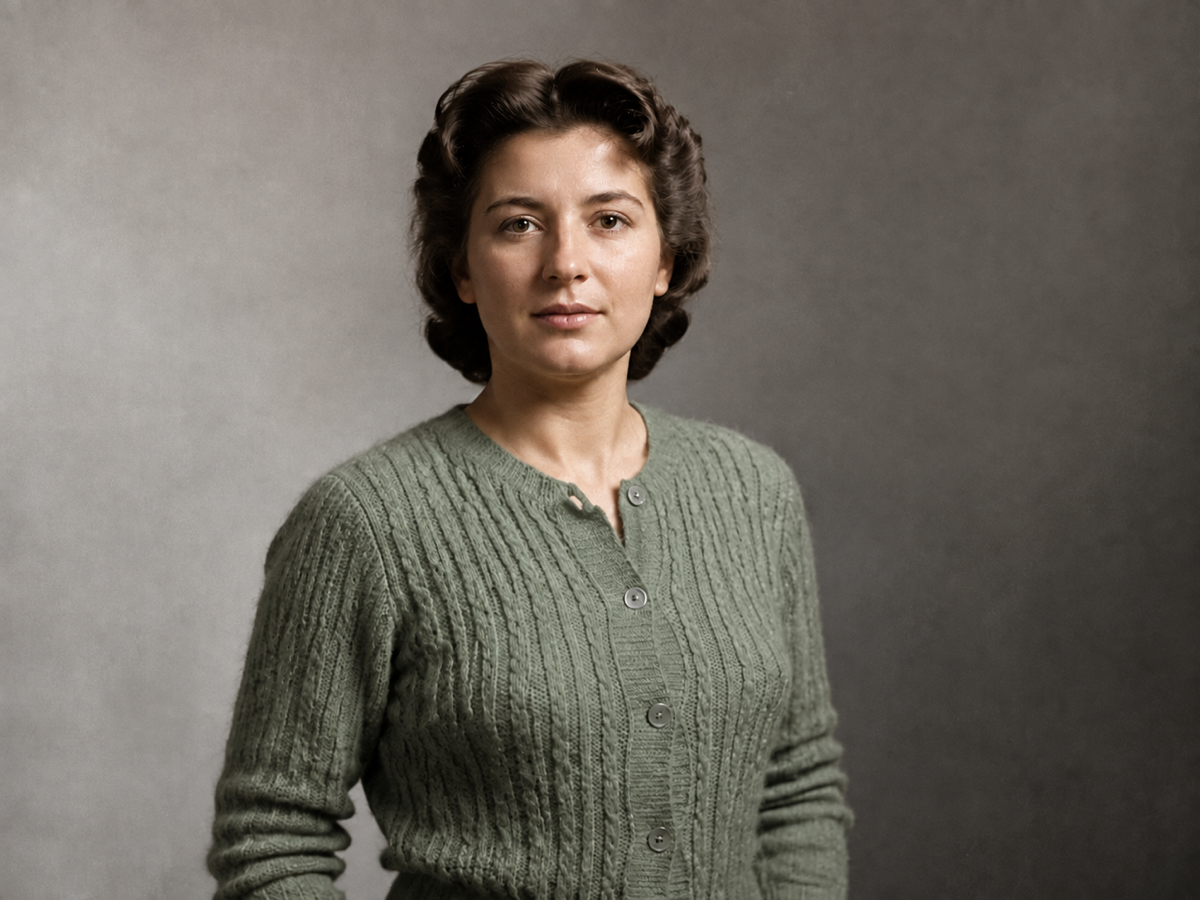
Concept example of the same studio portrait with inferred skin, hair, and cardigan color after colorization
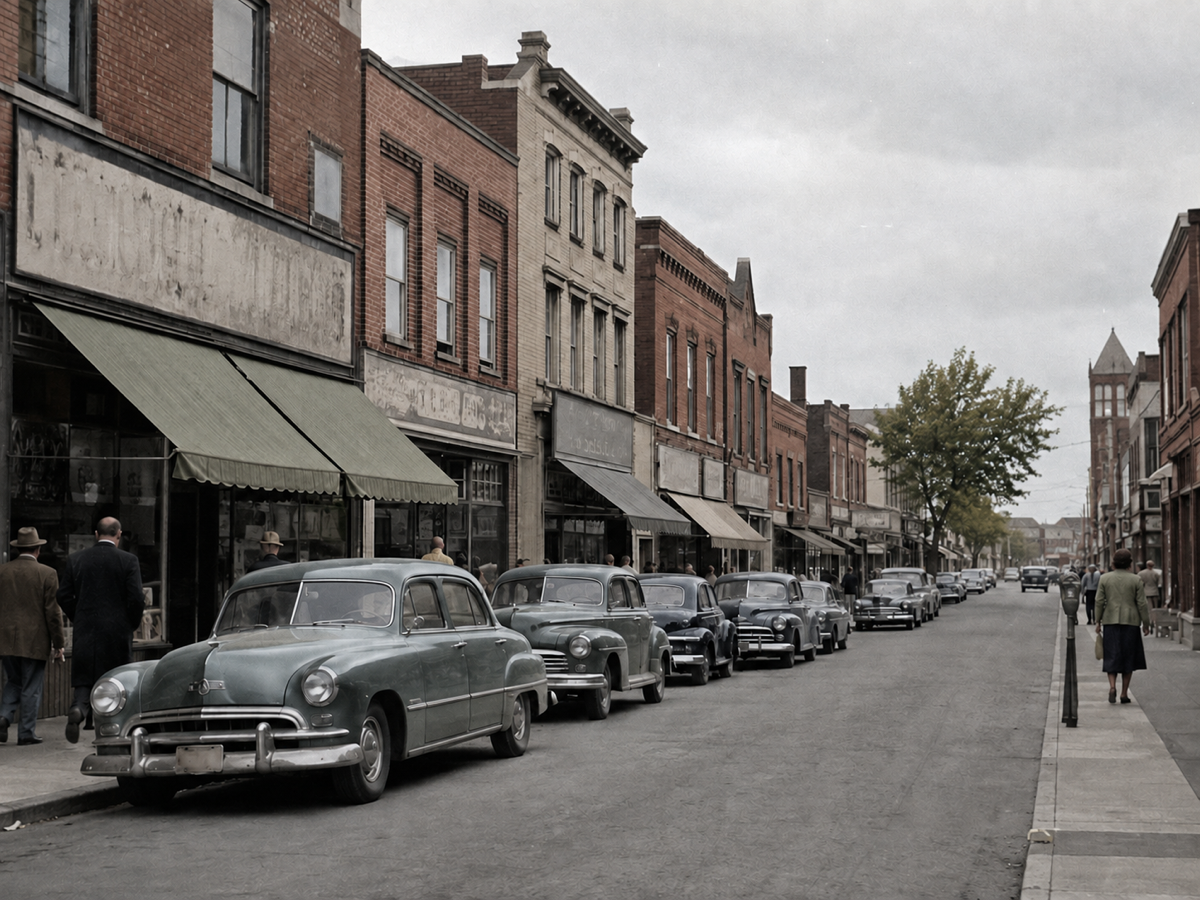
Concept example of the same street with inferred awning, vehicle, and brickwork color after colorization
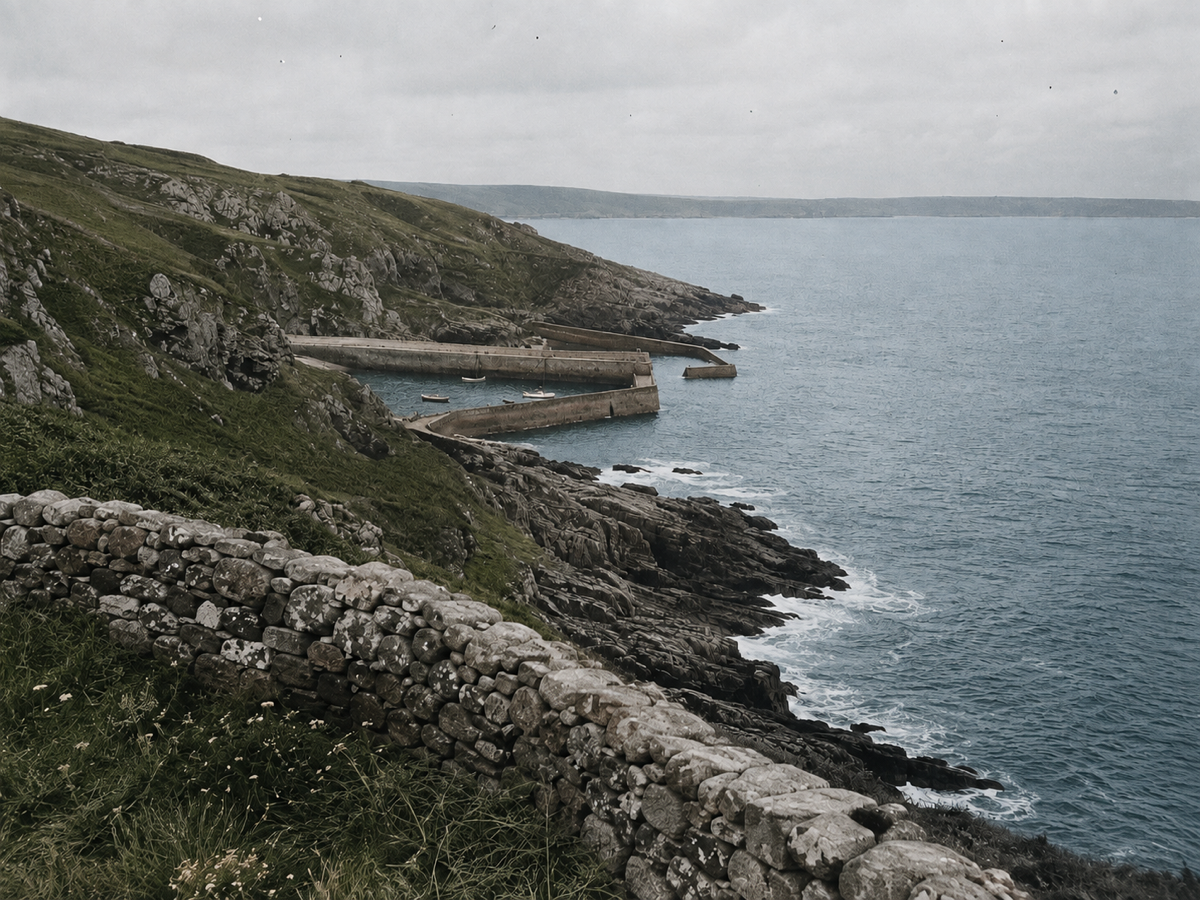
Concept example of the same coastline with inferred water, grass, and stone color after colorization

Concept examples, not measured customer results.

The direct answer

What is an image colorizer?

An image colorizer adds color to a black-and-white or grayscale photograph. It does not read a hidden color layer, because none exists: a grayscale pixel stores brightness only, and many different colors share the same brightness. The model instead recognizes what a region probably is — a wool coat, a brick wall, summer leaves, an overcast sky — and assigns color that is consistent with that reading and with the rest of the frame.

That is why a colorizer can be convincing and wrong at the same time. A red dress and a mid-green dress can be identical in grayscale, so the result reflects statistical likelihood, not evidence. Img ai treats the output as a visual interpretation you review, which is why the workbench keeps the grayscale source in the same view and why this page never claims historical color accuracy.

Jobs this Image Colorizer is built for

Bring a black-and-white family portrait forward

Scanned portraits are the most common colorization job and the most demanding one. Faces carry the strongest expectations: skin, lips, eyes, and hair have to sit in a believable range or the whole frame reads as fake. Use the split view on the face first. If a relative wore a specific uniform, habit, or wedding dress, treat the generated color as a placeholder and check it against family knowledge before printing or sharing it.

Read an old street scene more easily

Archival street photography compresses shopfronts, signage, vehicles, and crowds into one grey field. Adding color separates those planes and makes the scene easier to read at a glance for a blog post, a local-history talk, or a slide. Signage color and paint schemes are exactly where inference is weakest, so caption the image as colorized and keep the original file alongside it.

Give a monochrome shot a color working copy

Photographers also shoot in black and white on purpose, and sometimes need to see what a scene would look like in color before deciding how to grade or reshoot it. A colorized pass is a fast reference for that decision. It is not a color-managed conversion, it will not match a raw file, and it should not be used as a proof for print work.

How to colorize a black-and-white photo

  1. Upload one grayscale photo

    Sign in, then add a single JPG, PNG, or WebP up to 10 MB with each side between 256 and 4,096 pixels and no more than 16 megapixels. Img ai checks the file on the server as well as in the browser, so a mislabelled or truncated image is rejected before anything is charged. Crop out album borders and heavy dust first; the model treats damage as part of the picture.

  2. Confirm the cost and run one pass

    The workbench shows the fixed 10-credit cost and your remaining balance before submission. There is no palette picker, strength slider, or region brush on this page, because this backend does not expose them and a control that does nothing would be a lie. One automatic colorization over the whole frame is exactly what you are buying.

  3. Compare, then download or discard

    Drag the divider across the result and inspect faces, hands, clothing seams, foliage, and any painted surface. Download when the interpretation is good enough for how you plan to use it. If the connection drops or you refresh the tab, Img ai recovers the same task identity instead of starting a second paid job, and the run stays visible in My Creations.

Concept examples

What to inspect after a colorization pass

These owned concept pairs show where an inferred palette is usually safe and where it is a guess: a studio portrait, a busy street, and an open landscape. They are not measured Img ai customer results.

Concept example of a grayscale mid-century studio portrait of a woman in a knitted cardigan before colorization
Concept example of the same studio portrait with inferred skin, hair, and cardigan color after colorization
ColorizedOriginal

Black-and-white studio portrait

Portraits are judged on skin first. Check that tone stays even across the cheek and jaw, that lips are not pushed toward makeup that was never there, and that hair keeps a single believable shade. The garment color here is a guess, and a plausible guess is still a guess.

Automatic pass · 1K render · 10 credits

Concept example generated for this page; not a measured customer result from Img ai.

Concept example of a grayscale mid-century high street with parked cars and shop awnings before colorization
Concept example of the same street with inferred awning, vehicle, and brickwork color after colorization
ColorizedOriginal

Mid-century street scene

Street scenes show what colorization is good at and where it drifts. Brick, asphalt, foliage, and sky usually land in a sensible range. Awnings, vehicle paint, and any lettering are invented, so never present them as a record of how the street actually looked.

Automatic pass · framing preserved · no signage rewriting

Concept example generated for this page; not a measured customer result from Img ai.

Concept example of a grayscale coastal cliff and harbour photograph before colorization
Concept example of the same coastline with inferred water, grass, and stone color after colorization
ColorizedOriginal

Archival coastal landscape

Landscapes are the friendliest input: water, vegetation, and rock have narrow plausible ranges, so the pass tends to look natural. Watch the horizon and the waterline for color bleeding between sky and sea, which is the most common landscape artifact.

Automatic pass · grain and scratches left untouched

Concept example generated for this page; not a measured customer result from Img ai.

What this Image Colorizer actually does

The page exposes only the automatic operation this backend supports. A palette picker, intensity slider, and per-region brush are absent because they are not independent controls in this workflow.

Whole-frame color inference

One pass assigns color across the entire image, keeping subjects, edges, crop, and lighting pattern as photographed. It is designed to look like a photograph rather than a tinted illustration.

Consistent material reading

Skin, hair, textiles, foliage, water, stone, wood, and metal usually land in a coherent range for one another, which is what makes a scene read correctly at a glance.

Reviewable output

The grayscale source and the colorized result sit in one comparison view, and the finished task stays in My Creations so you can return to it instead of re-running a paid job.

Colorize, restore, or enhance?

Three different problems get confused with each other constantly. Pick by what is actually wrong with the file in front of you.

The problemImage ColorizerPhoto EnhancerA prompt-driven editor
Best forA clean grayscale photo that needs colorA color photo that looks soft or compressedA specific object or area you want changed
What changesColor only; structure is preservedPerceived clarity; size and color stayWhatever the prompt and selection cover
What it will not doRepair damage or prove historical colorAdd color to a monochrome sourceGuarantee an untouched background
Cost on Img ai10 credits11 creditsDepends on the tool

Photos that colorize well

Clean scans, well-exposed monochrome negatives, and modern black-and-white captures give the pass the most structure to read. Even lighting, visible material texture, and a frame that has not been crushed to pure black or pure white all improve the result.

Limits you should know

  • Color is inferred, never recovered. This page cannot tell you the true color of a uniform, a flag, a car, or a dress, and it should not be cited as historical evidence.
  • This is not a restoration tool. Scratches, tears, dust, fading, and missing emulsion are treated as part of the picture, and heavy damage can confuse the color reading.
  • The output is re-rendered at a 1K-class size with the same framing, so pixel dimensions are normalized rather than matched to a large scan.
  • Faces, hands, small text, jewellery, and repeating patterns can shift slightly during generation. Compare identity-sensitive details before you publish a portrait.
  • There is no palette control, strength slider, or per-region edit here. If you need directed changes, use a prompt-driven editor instead of a colorizer.

Img ai vs Palette.fm vs ImageColorizer

These three tools answer the same query in different ways: a tracked single-pass colorizer inside a wider image account, a filter-driven creative colorizer, and a colorization-plus-restoration specialist. Public product pages were reviewed on 6 September 2026; confirm current plan terms on each vendor site before you commit.

Img ai

One tracked colorization pass inside the same account, credits, and history you already use for the rest of Img ai.

Sign in, upload one JPG, PNG, or WebP up to 10 MB, confirm 10 credits, run a single automatic pass, drag the split comparison, and download. The run is recoverable and appears in My Creations.

No palette filters, no reference-image steering, no batch queue, and a 1K-class render rather than a large-format export.

Open the Img ai tool

Palette.fm

Creative direction over the mood of the color rather than a single neutral interpretation.

Palette.fm advertises "21+ Color filters" plus keyword customization, unlimited previews capped at 500x500 with a watermark, and one free full-resolution credit; paid output goes up to 5000x5000.

The free tier is a watermarked low-resolution preview, and credits are bought as a separate subscription or pack outside your existing image workflow.

Public product page

ImageColorizer

Colorization bundled with old-photo restoration when the scan is damaged as well as monochrome.

ImageColorizer offers V0, V1, and V2 models and states that you can "customize the positive and negative prompts and control the color palette", with a free account plus credits and limits that "may vary by plan".

More knobs mean more decisions and more runs, and the upload, dimension, and batch limits are plan-dependent rather than a single published number.

Public product page

Also worth knowing: MyHeritage describes In Color as the "world's best technology for colorizing and restoring the colors in historical photos", and it is the natural choice if your photos already live in a genealogy tree there. Img ai is the better fit when colorization is one step in general image work rather than a family-history project.

Privacy, rights, and responsible use

Upload only photos you own or are authorized to process, and be careful with images of identifiable people who cannot consent. Img ai keeps the tracked task on your account and the result in My Creations. Read the privacy policy before uploading family or archival material.

File and credit specifications

Input
JPG, PNG, WebP
Maximum file
10 MB
Side range
256–4,096 px
Maximum area
16 megapixels
Output
One 1K-class colorized image
Task cost
10 credits
Controls
Automatic pass only
History
My Creations

Image Colorizer FAQ

Is the color from an image colorizer historically accurate?

No. Grayscale brightness cannot identify a hue, so several colors fit the same pixel equally well. The result is a plausible interpretation. When accuracy matters, check uniforms, packaging, vehicles, and clothing against written records, catalogues, or family memory, and label the image as colorized.

Can Img ai colorize a damaged or faded scan?

It will run, but this page only adds color. Scratches, tears, dust, and fading remain, and severe damage can push the color reading off. Clean or crop the worst areas first, and treat colorization as a separate step from repair rather than a rescue for a badly degraded print.

Which files and sizes does the Image Colorizer accept?

One JPG, PNG, or WebP file up to 10 MB, with each side between 256 and 4,096 pixels and no more than 16 megapixels in total. The file is validated in the browser and again on the server, so a mismatched or incomplete image is rejected before any credits are reserved.

Will the colorized photo keep its original dimensions?

The framing and composition are preserved, but the output is re-rendered at a 1K-class size rather than returned at the exact pixel dimensions of a large scan. Keep your original file if you need the full-resolution monochrome version for archiving or printing.

How many credits does one colorization use?

Each run costs 10 credits, shown next to your balance before you submit. A failed task refunds automatically, and a dropped connection or page refresh recovers the same task instead of charging twice. Current plans are listed on the Img ai pricing page.

Can I choose the colors or adjust them afterwards?

Not on this page. Img ai exposes only the automatic pass this backend actually supports, so there is no palette picker, intensity slider, or region brush here. If you want directed color changes, take the result into an editor that supports prompt-based or manual adjustments.

Sources and methodology

First-party limits come from the Img ai colorization backend. Competitor behavior was read from the public product pages below on 6 September 2026, and claims are limited to what those pages state themselves.

Move to the workflow that matches what the source actually needs.