
AI Tattoo Generator

The IMG AI AI Tattoo Generator turns a written motif — and an optional sketch you own — into an original flash-sheet concept: fine line, blackwork, or geometric, drawn on a clean background as a raster PNG or JPEG. It is a design conversation piece, not a stencil, not a vector file, and not a body try-on.

Written theme or owned sketchFine line, blackwork, geometricClean-background raster1K, 2K, or 4K output

Flash-sheet concepts

Design a tattoo concept

Describe a motif, choose a style, and get a clean-background drawing you can discuss with a tattoo artist. Add a sketch you own as an optional reference.

0/600

8–600 characters. If you include a name or quote, check every character after generate.

Add sketch(0/1)

Upload only a sketch you own. The written theme is still required, and there is no body-photo try-on.

Reference

None

Output

1K render · 20 credits

One clean-background raster concept · never SVGView pricing
Ready
Contours checked · clean background

Your tattoo concept will appear here

Write a motif, pick fine line, blackwork, or geometric, then generate one clean-background concept. A sketch reference is optional.

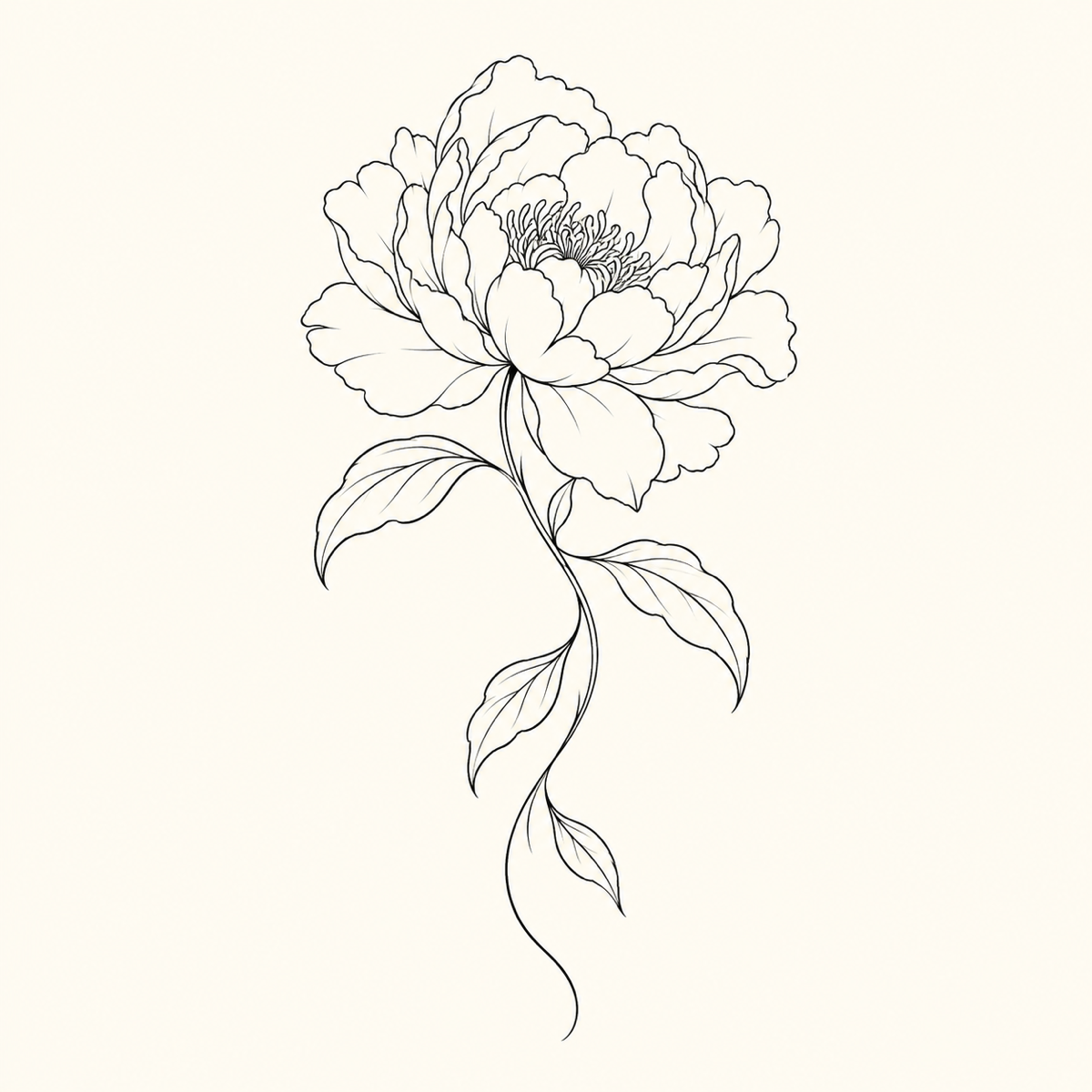
Fine line botanical tattoo concept with thin continuous contours of a peony and vine on a clean light background
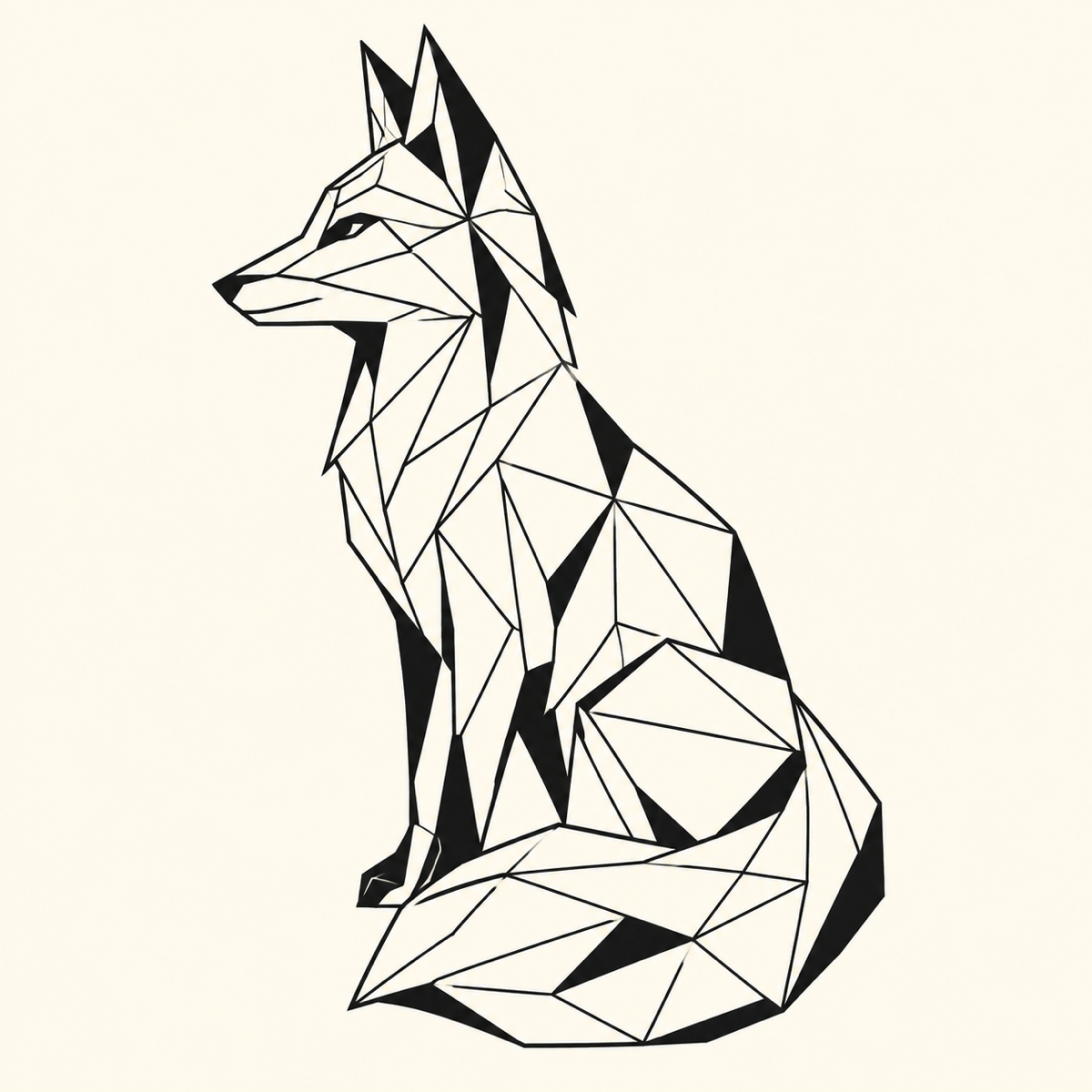
Geometric animal tattoo concept with faceted black linework forming a closed silhouette on a clean background
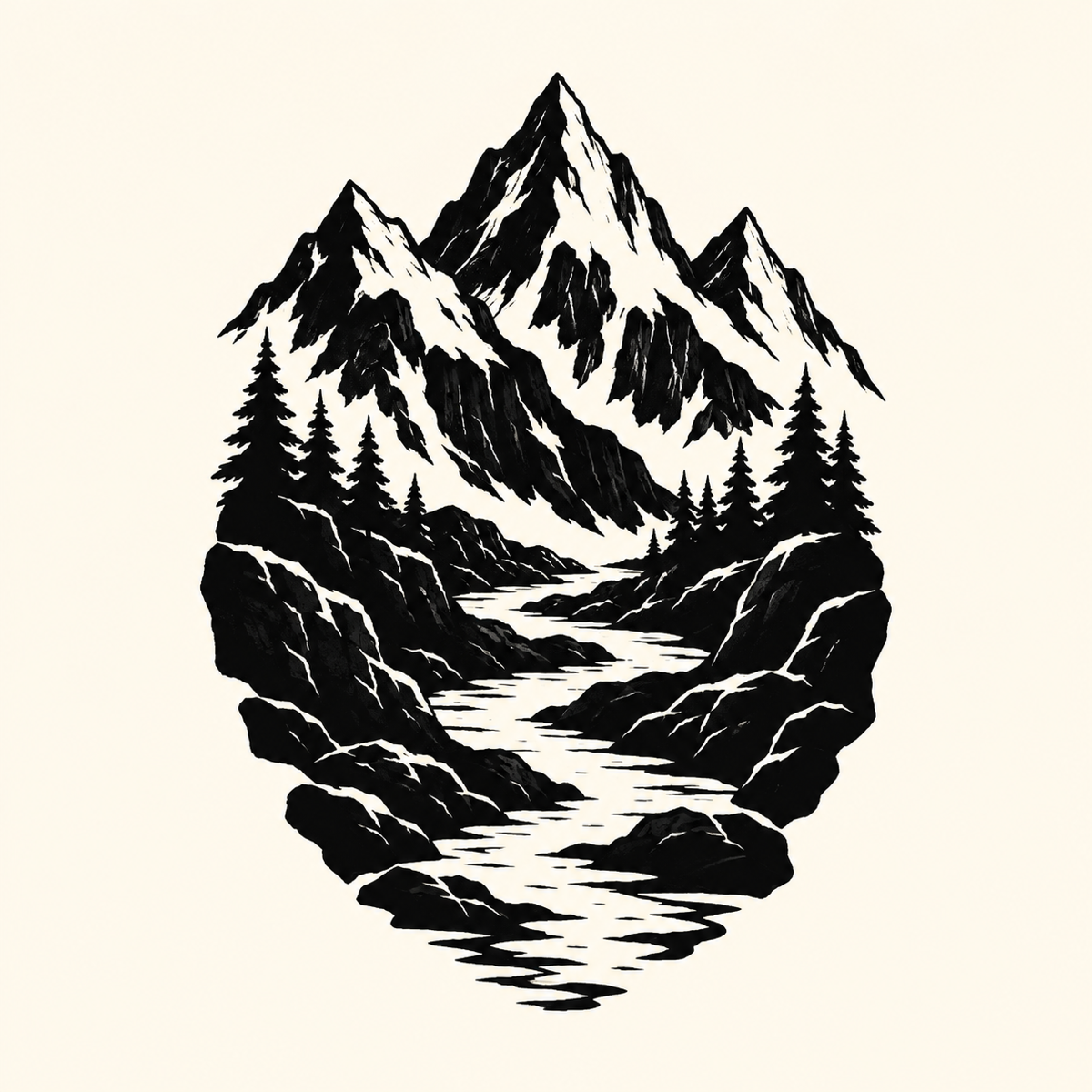
Blackwork mountain and river tattoo concept with dense black fills and a clear outer contour on a clean background

The direct answer

What is an AI Tattoo Generator?

An AI Tattoo Generator turns a written tattoo idea into a visual concept you can look at, refine, and discuss before anyone touches skin. Instead of describing a motif to an artist and hoping the sketch lands, you describe the subject, pick a drawing style, and get a finished concept on a clean background within a minute. It is most useful at the very start of a design conversation, when the idea is still fluid and a reference image helps you agree on direction.

It is important to separate three jobs that all get called "tattoo design". A concept generator produces a drawing to talk about. A tattoo artist converts that drawing into a stencil with correct line weight, negative space, and scale for a specific body part. A virtual try-on overlays ink on a photo. This page does the first job only: it draws one clean raster concept in fine line, blackwork, or geometric style and hands it to you to review.

Jobs this AI Tattoo Generator is built for

Shape a written idea before the studio

Turn a one-line brief such as "peony and swallow, fine contours" into a flash-sheet drawing you can bring to a consultation. You can iterate on the motif while it is still free to change, then arrive with a clear direction instead of an abstract description.

Redraw a sketch you already own

Upload a rough sketch, a scanned doodle, or a reference you have rights to, and the tool redraws the subject as a clean tattoo concept. Keep the recognizable subject and pose while the linework is rebuilt on a clean background that is easier to discuss.

Explore a style before you commit

The same motif looks completely different as fine line, blackwork, or geometric. Generate each style from one theme to compare contrast, density, and silhouette side by side, then take the direction that fits the placement you have in mind.

How to use the AI Tattoo Generator

  1. Describe the motif and choose a style

    Write the motif in 8 to 600 characters. Pick fine line, blackwork, or geometric, then a composition, a complexity, and a flash shape. Upload a sketch only if you own the rights to it. Uploading and adjusting every control stays free.

  2. Generate one clean concept

    Sign in and run the tracked task for the credits shown next to your balance. A theme-only brief generates from text; an uploaded sketch uses it as a reference. A refresh or a dropped connection recovers the same task instead of charging twice.

  3. Inspect contours, then download

    Check that outlines are continuous, that packed detail still reads at small size, and that any lettering is spelled exactly as written. Download the finished raster concept, or reopen it later from My Creations, and take it to an artist as a design brief.

Concept examples

Fine line, geometric, and blackwork concepts

Three directions for the same kind of brief: a botanical fine line tile, a geometric animal, and a blackwork landscape. Inspect contours and any lettering before taking a file to a studio.

Fine line botanical tattoo concept with thin continuous contours of a peony and vine on a clean light background

Botanical fine line flash

A fine line concept keeps single-weight contours and open negative space so an artist can thicken, drop, or wrap lines for a real limb later. Check that the vine stays connected to the flower.

Fine line · centered flash · balanced

Geometric animal tattoo concept with faceted black linework forming a closed silhouette on a clean background

Geometric animal composition

A geometric concept builds the subject from measured facets and a closed silhouette. Junctions should stay connected; look for any angle that drifts off the grid before you take the file onward.

Geometric · centered flash · balanced

Blackwork mountain and river tattoo concept with dense black fills and a clear outer contour on a clean background

Blackwork landscape concept

A blackwork concept uses bold black masses with a clear outer contour and coarse interior texture that still reads at flash size. Dense black is a style choice, not a preview of how pigment settles in healed skin.

Blackwork · vertical flow · dense

What this AI Tattoo Generator actually does

The page exposes one reviewed concept pass. Style, composition, and complexity are prompt presets this page owns, not independent backend parameters, and there is no stencil exporter or body try-on here because this workflow does not perform those jobs.

Original concepts, not copies

Every run draws a new concept from your written theme or from a sketch you own. The prompt explicitly forbids copying a living artist’s line, a famous tattoo, or a copyrighted character, so the result is a starting point you can legally take into a studio conversation.

Three named styles and clear controls

Fine line, blackwork, and geometric are prompt presets this page owns, not open-ended sliders. Composition, complexity, flash shape, and output size are validated on the server, so the credits you see before submitting are the credits the task actually reserves.

Reviewable output you keep

The finished concept downloads as a raster PNG or JPEG on a clean background, and the tracked task stays in My Creations so you can return to it. The page never labels a raster file as a stencil, SVG, or vector template.

Concept, stencil, or try-on?

These three jobs get confused constantly. Pick by what you actually need to end up with.

The jobAI Tattoo GeneratorStencil from an artistBody try-on
Best forExploring an original motifA body-specific drawing meant for inkJudging placement on a photo
What you getA clean raster conceptA sized, weighted transferAn overlay image
What it will not doPrint a stencil or SVGDraw several free directions instantlyBecome a real stencil
Cost on IMG AI20–40 creditsArtist rateNot offered

Ideas that generate well

A clear motif with a single main subject generates the cleanest concept. Say whether the design should read as a compact tile or a tall panel, keep the description concrete, and add a sketch only when you own the rights to it. Exploring several styles from one theme is free to browse before you spend credits.

Limits you should know

  • It produces a design concept, not a production-ready stencil or a vector file. A tattoo artist still rebuilds line weight, negative space, and scale for your body.
  • It does not place the design on a photo of your skin. There is no AR sleeve, no placement preview, and no body try-on in this version.
  • It cannot promise how a design will heal, age, or settle in skin. Tattoo outcomes depend on the artist, the placement, and aftercare, not on a generated image.
  • Line work can occasionally break or crowd. Inspect contours at full size, and treat a misspelled name or quote as a failed concept to regenerate, never a file to take into a session.
  • You must own or be authorised to use any sketch you upload, and you are responsible for confirming the final design with a licensed artist before any procedure.

IMG AI vs custom tattoo artist vs ready-made flash art

Searchers comparing tattoo design options usually weigh three routes: generate an original concept, commission a custom drawing from an artist, or pick an existing flash design. This table compares those jobs. It does not rank other websites and does not send you off-site.

IMG AI

You want an original concept from a written theme or a sketch you own, fast and inside the account you already use.

Sign in, describe the motif, choose fine line, blackwork, or geometric, optionally add an owned sketch, confirm the credit cost for your output size, run one tracked task, then download the clean-background raster and keep it in My Creations.

It is a design concept only. No stencil export, no SVG or vector file, no body try-on, and no guarantee that a specific drawing is production-ready for a given placement.

Open the IMG AI tool

Custom tattoo artist

You already know the placement and want a licensed professional to draw a piece that is meant to be tattooed on you.

A custom commission usually starts with a consultation or deposit, then the artist draws a design sized and weighted for a specific body part, often refining it across one or more rounds before the appointment.

It costs artist time and money, needs a booking, and depends on the artist’s schedule and style. It is the right final step, but it is not the fastest way to explore several directions first.

Public service category reviewed for this comparison; not linked from IMG AI.

Ready-made flash art

You like an existing design and only need it adapted to your body, with no need for a personal motif.

Flash is pre-drawn art that a studio already offers, sometimes as repeatable linework. You choose a piece from a book, wall, or online store, and the artist sizes and places it for you.

The design is not unique and may be offered to other clients. It is convenient, but it does not help you develop an idea that does not exist yet.

Public product category reviewed for this comparison; not linked from IMG AI.

A common workflow combines the routes: use the IMG AI AI Tattoo Generator to explore two or three directions for free to browse, then take the concept you like to a licensed artist who draws the final, body-specific stencil. That keeps exploration fast and the finished design safe.

Rights, responsibility, and privacy

Upload only a sketch you own or are authorised to process, and never a copyrighted character or another artist’s design. Treat the result as a design brief, confirm the final drawing with a licensed artist, and follow hygiene and consent requirements before any procedure. IMG AI keeps the tracked task on your account and the result in My Creations. Read the privacy policy before uploading private or client material.

File and credit specifications

Input
Written theme, optional owned sketch
Reference files
JPG, PNG, or WebP
Maximum file
20 MB
Theme length
8–600 characters
Output sizes
1K, 2K, or 4K
Output format
Raster PNG or JPEG, never SVG
Task cost
20 / 30 / 40 credits
History
My Creations

AI Tattoo Generator FAQ

What is an AI Tattoo Generator?

It is a tool that turns a written tattoo idea into a visual concept. The IMG AI AI Tattoo Generator lets you describe a motif, pick fine line, blackwork, or geometric, optionally follow a sketch you own, and download a clean-background raster PNG or JPEG that you can discuss with a tattoo artist.

Can I use the result as a stencil or a vector file?

No. Every download is a raster PNG or JPEG concept on a clean background. A tattoo artist still rebuilds line weight, negative space, and scale for your body before any procedure. This page does not export SVG, EPS, or thermal-transfer stencil files, and it never labels a raster image as a vector template.

Does this AI Tattoo Generator place the design on my skin?

No. This version draws a concept only. There is no photo overlay, no augmented-reality sleeve, and no body try-on simulator. Placement, wrap, and scale are decisions you make in the studio with a licensed artist, not something a generated image can settle for you.

What happens if the lettering comes out wrong?

Treat a misspelled name, date, or quote as a failed concept. Read every character in the result, then regenerate. Do not take an unchecked lettering file into a tattoo session, because correcting ink on skin is far harder than correcting a drawing. The workbench warns you when a theme looks like lettering.

Fine line, blackwork, or geometric: which should I pick?

Fine line keeps thin continuous contours and open skin. Blackwork uses bold black masses and high contrast. Geometric builds the motif from measured facets and angles. Pick the look you want to discuss, then let a licensed artist adjust density and line weight for the placement and for how the piece may age.

How many credits does one tattoo concept cost?

A run costs 20 credits at 1K, 30 credits at 2K, or 40 credits at 4K, shown next to your balance before you submit. Uploading a reference and adjusting controls is always free. A failed provider task refunds automatically, and a refresh or dropped connection recovers the same task instead of charging twice. Current plans are on the IMG AI pricing page.

First-party limits come from the IMG AI concept backend. Third-party categories in the comparison above were read from public sources on 2026-09-19 without linking out. Move to the workflow that matches what you actually need.