
AI Image Humanizer

The IMG AI AI Image Humanizer re-renders an AI-generated image with the surface structure a real camera leaves behind: luminance-dependent sensor noise, organic grain, believable skin and material texture, and natural lens character. Composition, subject, and colour stay in place so you can compare the source against the result and decide.

JPG, PNG, WebPUp to 20 MB256–8,192 px per side1K, 2K, or 4K output

Camera realism

Humanize an AI image

Upload an AI-generated image, add believable camera texture, then compare the result against your source before you keep it.

Upload image(0/1)
Prompt preset

Source

—

Output

1K render · 20 credits

20 credits for this runView pricing
Ready
Camera texture · composition preserved

Your humanized image will appear here

Upload an AI-generated JPG, PNG, or WebP between 256 and 8,192 pixels per side, then run one realism pass.

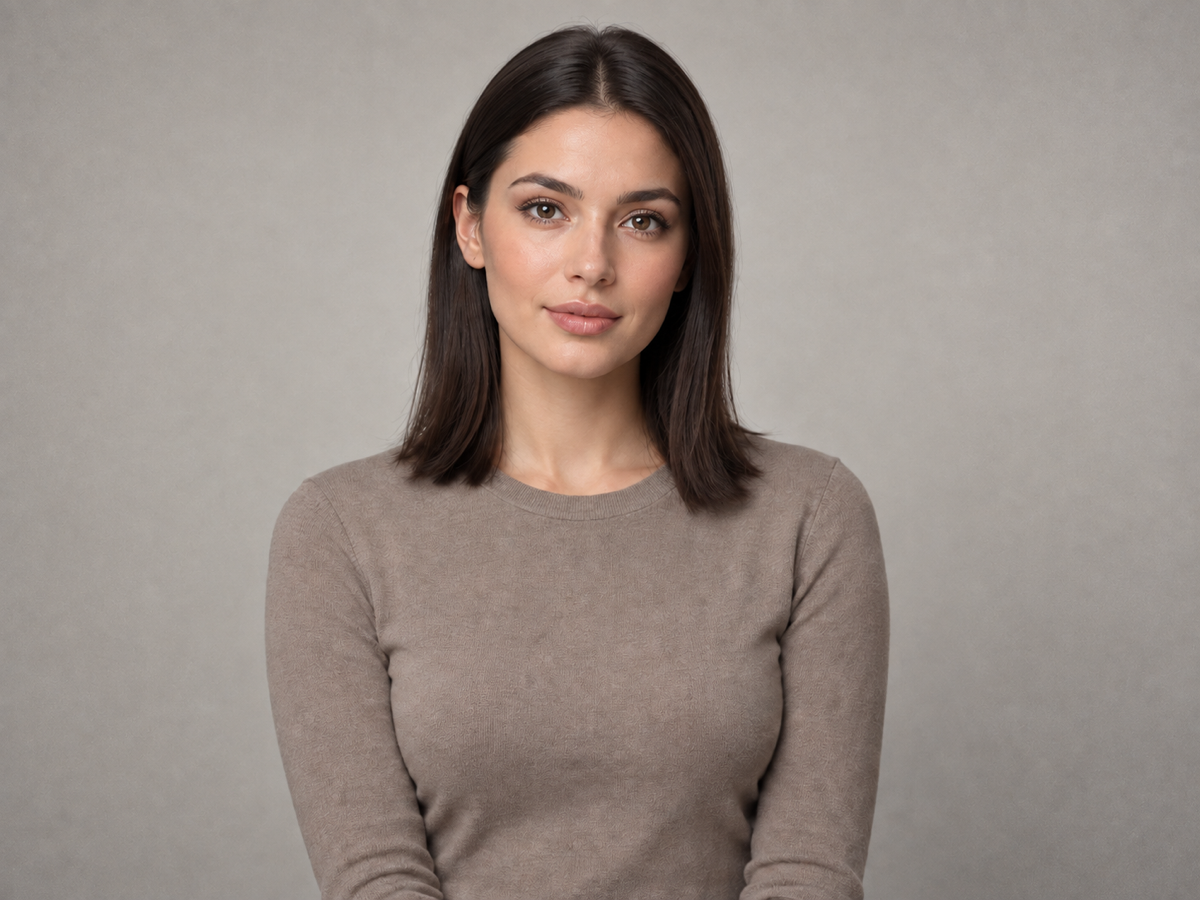
Concept example of the same portrait after a realism pass with natural skin texture, fine noise, and believable light falloff
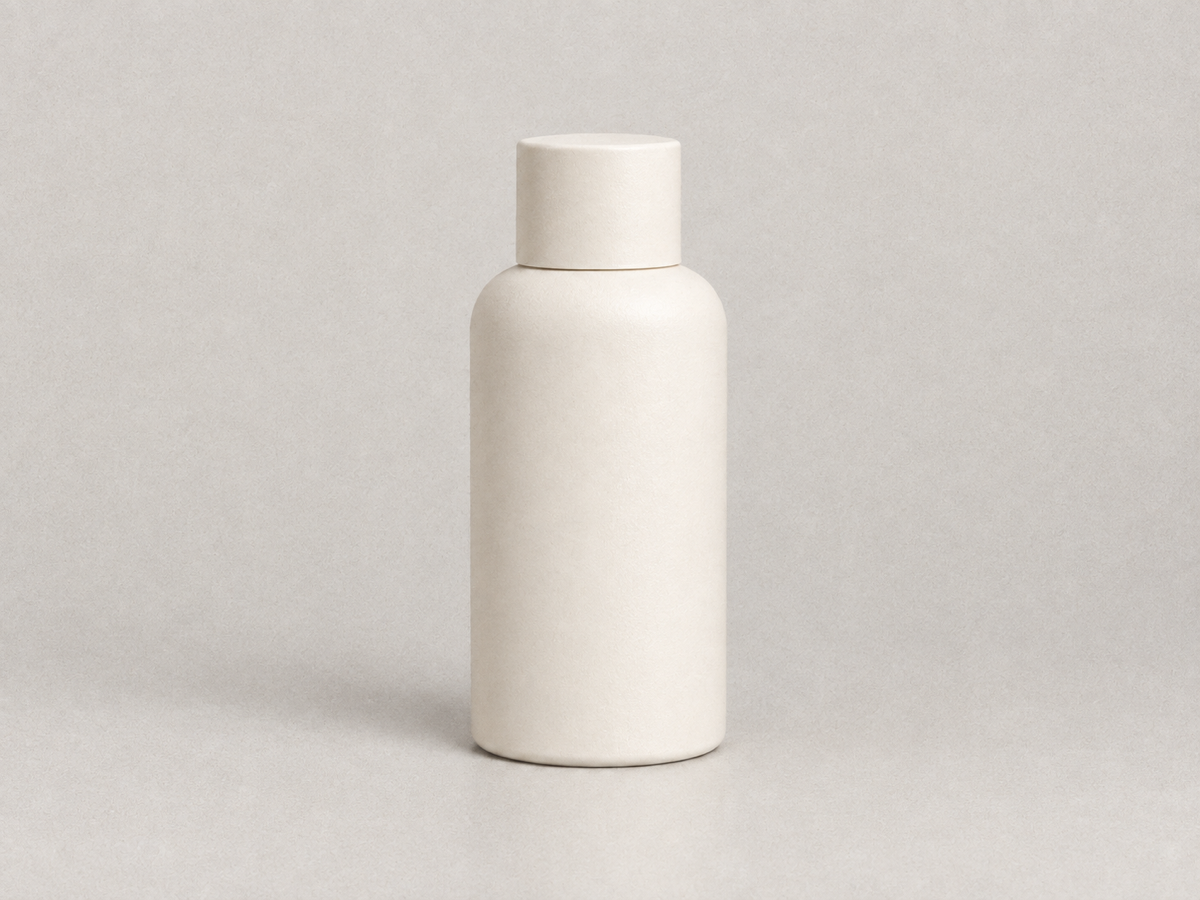
Concept example of the same product photograph with realistic surface micro-texture, sensor noise, and softer studio falloff
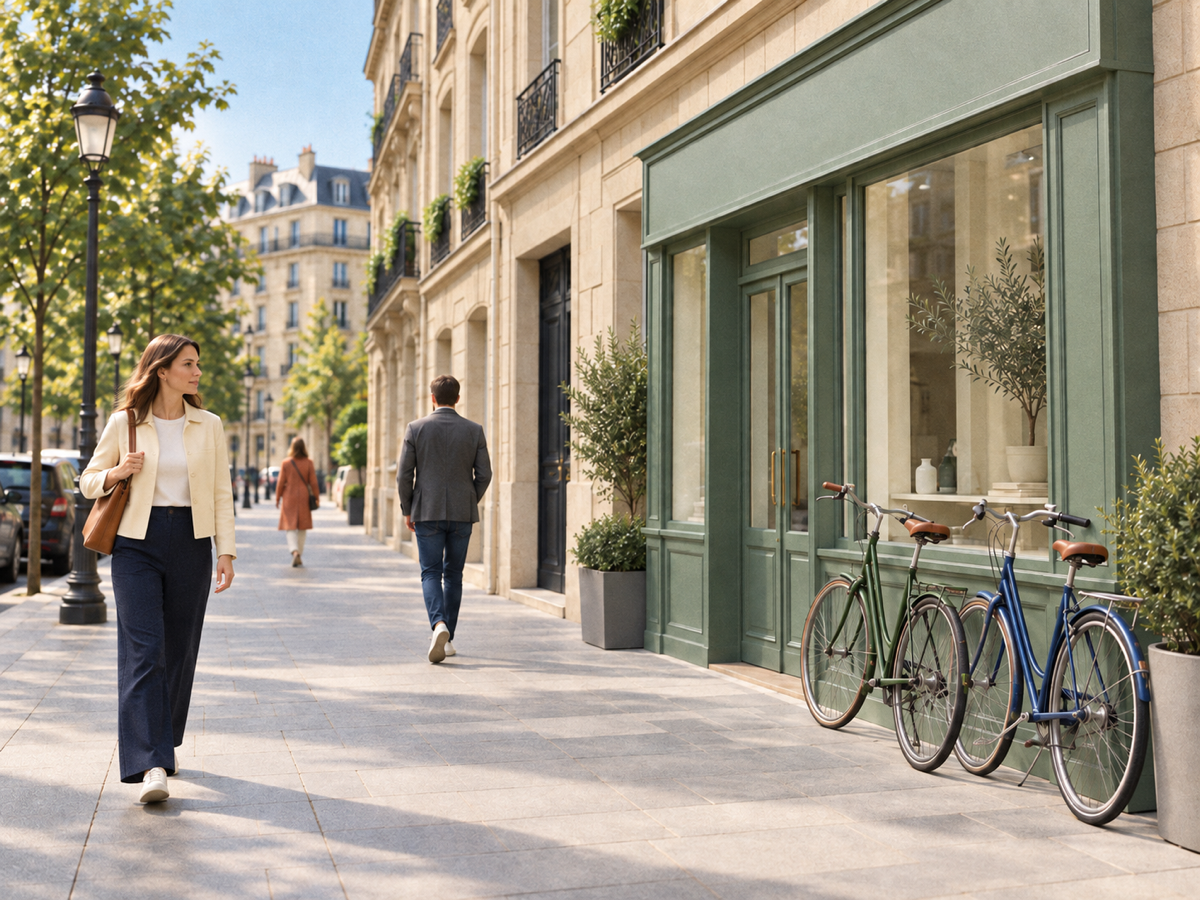
Concept example of the same street scene with 35 mm film grain, halation around highlights, and filmic contrast

Concept examples, not measured customer results.

The direct answer

What is an AI image humanizer?

An AI image humanizer is a tool that makes an AI-generated image look like a photograph a camera could have captured. Raw model output is unusually clean: skin has no pores, surfaces have no grain, noise floors are flat, and repeated texture looks mathematically even. Human viewers read that cleanliness as synthetic within a glance, even when they cannot say why. A humanizer re-introduces the small imperfections that real optics, sensors, and film produce, so the image stops looking computed.

Two very different products use the same name. One kind rewrites the pixels — it adds grain, sensor noise, micro-texture, and lens character, and therefore visibly changes the image. The other kind leaves every pixel untouched and only strips hidden provenance layers such as a SynthID watermark or C2PA metadata from the file. IMG AI builds the first kind: a reviewed realism pass that changes texture, never composition. That distinction is the single most important thing to understand before you choose a tool, because the two approaches produce different files and carry different obligations.

Jobs this AI Image Humanizer is built for

Make a generated portrait read as a real photo

Portraits expose every synthetic tell at once: waxy skin, glassy eyes, and lighting with no plausible source. A single realism pass restores pore-level skin texture, fine hair, and a believable noise floor without reshaping the face. Compare the eyes, the jawline, and the hairline at full size first, because identity and expression must survive the pass untouched.

Blend AI product shots into a real catalogue

When part of a product catalogue is photographed and part is generated, the generated frames stand out as too clean and too evenly lit. Adding camera-consistent grain and surface texture across the generated frames makes the set read as one shoot. Inspect logos, label text, glass reflections, and hard edges afterwards; those are where a re-render can drift.

Give social and ad creative a photographic finish

Feeds are full of visibly generated images, and audiences have learned to scroll past them. A camera-realistic finish helps a concept frame, thumbnail, or ad asset carry the warmth of a real photograph. Treat it as a craft step, not a disguise: keep the result consistent with what the image actually shows and disclose AI involvement where the context requires it.

How to make an AI image look real

  1. Upload one AI-generated image

    Sign in, then add a single JPG, PNG, or WebP up to 20 MB with each side between 256 and 8,192 pixels and no more than 40 megapixels. IMG AI checks the file in the browser and again on the server, so a damaged or mislabelled image is rejected before any credits are reserved. Start from the largest, cleanest source you have rather than a compressed copy.

  2. Choose a camera look and strength

    Pick the capture character you want — a modern camera, 35 mm film, or a compact-camera flash look — and how strongly the texture should read. These are prompt presets this page owns, not sliders on the model, and the workbench states the credit cost for the size you selected before you submit. One run produces one finished image.

  3. Compare, then download or discard

    Drag the divider across the result and inspect faces, hands, hair, edges, and any text at 100%. Download when the pass holds up at the size you actually need. If the connection drops or you refresh the tab, IMG AI recovers the same task identity instead of starting a second paid job, and the run stays visible in My Creations.

Concept examples

Before and after a realism pass

These owned concept pairs show what a realism pass adds to a portrait, a product frame, and a street scene. They are not measured IMG AI customer results.

Concept example of an over-smoothed AI-generated portrait of a woman with waxy skin and a flat, clean background
Concept example of the same portrait after a realism pass with natural skin texture, fine noise, and believable light falloff
HumanizedAI source

AI portrait with restored skin texture

Skin is judged first. The pass should reveal pores and fine hair, keep tone even across the cheek and jaw, and leave the eyes and expression exactly as generated. If a face changes shape or gains a different age, the strength is too high for that image.

Natural camera · balanced · 2K

Concept example generated for this page; not a measured customer result from IMG AI.

Concept example of a too-clean AI-generated studio product photograph of a ceramic bottle on a seamless backdrop
Concept example of the same product photograph with realistic surface micro-texture, sensor noise, and softer studio falloff
HumanizedAI source

AI product shot with real material response

Products are judged on geometry and edges. Grain and micro-texture should make the surface feel physical without moving a single contour or softening a label. Check reflections and any printed text carefully, and keep a clean copy of the original for retouching.

Natural camera · balanced · 2K

Concept example generated for this page; not a measured customer result from IMG AI.

Concept example of a clean, flat AI-generated daytime street scene with people and parked bicycles
Concept example of the same street scene with 35 mm film grain, halation around highlights, and filmic contrast
HumanizedAI source

AI street scene with 35 mm character

Busy scenes reward film texture because grain reads naturally across sky, asphalt, foliage, and crowds. Watch the horizon and any repeating pattern for noise that clumps instead of varying with tone, which is the most common realism artifact.

35 mm film · balanced · 2K

Concept example generated for this page; not a measured customer result from IMG AI.

What this AI Image Humanizer actually does

The page exposes one reviewed realism pass. Camera look and strength are prompt presets this page owns, not independent backend parameters, and there is no detector verdict or metadata cleaner here because this workflow does not perform those jobs.

Camera-accurate surface structure

Grain and noise vary with luminance rather than sitting on top of the frame as a flat overlay, so shadows, midtones, and highlights each receive the texture a real sensor would produce there.

Composition preserved

The pass adds texture and light behaviour while keeping the subject, pose, framing, crop, perspective, and colour relationships as they were. It is a realism step, not a redesign, and it is not a way to change what the image shows.

Reviewable output

The AI source and the humanized result sit in one comparison view, and the finished task stays in My Creations so you can return to it instead of buying a second run.

Humanize, detect, or clean the file?

These three jobs get confused constantly. Pick by what you actually need to change about the image.

The problemAI Image HumanizerAI image detectorWatermark cleaner
Best forAn AI image that looks too clean and syntheticDeciding whether an image is likely AI-generatedRemoving hidden provenance layers
What changesTexture, grain, and light behaviourNothing; it returns a probabilityNothing visible; file metadata and hidden marks
What it will not doProve a verdict or rewrite compositionMake an image look more realAdd camera texture
Cost on IMG AI20–40 creditsNot offeredNot offered

Images that humanize well

A high-resolution, well-exposed AI render gives the pass the most structure to read. Clear subject separation, visible material detail, and soft, plausible lighting all help. Humanizing works best as the final craft step, after composition and colour are already right.

Limits you should know

  • It cannot guarantee that any specific AI detector will return a "real" verdict. Detectors are probabilistic, they change frequently, and no image tool controls their output. IMG AI does not claim or sell a bypass score.
  • It does not remove hidden watermarks or provenance metadata such as SynthID or C2PA. If that is what you need, use a tool that specialises in it, and treat the legal and platform obligations as your own.
  • It re-renders the image, so it is not pixel-identical to the source. Fine texture, tiny text, jewellery, and repeating patterns can shift slightly; always compare identity-sensitive and text-heavy details at 100%.
  • It is the wrong tool for a real photograph that only needs sharpening, colour correction, or damage repair. It is built for images that already look synthetic.
  • You must own or be authorised to process the source, and you are responsible for disclosing AI involvement wherever a platform, publication, or client requires it.

IMG AI vs Imagera vs AI Image Humanizer

Three tools answer the same query with three different techniques: a reviewed realism re-render inside a wider image account, a sensor-tuned realism engine, and a pixel-preserving watermark and metadata cleaner. Public product pages were reviewed on 18 September 2026; confirm current terms on each vendor site before you commit.

IMG AI

One reviewed realism pass inside the same account, credits, and history you already use for the rest of IMG AI.

Sign in, upload one AI-generated JPG, PNG, or WebP up to 20 MB, choose a camera look and strength, confirm the credit cost for your output size, run one pass, drag the split comparison, and download. The run is recoverable and appears in My Creations.

No pixel-identical mode, no metadata stripping, no batch queue, and no detector verdict. Texture changes are visible by design, and the output is a re-render rather than a byte-for-byte copy.

Open the IMG AI tool

Imagera

A dedicated realism engine tuned toward specific camera sensor characteristics.

Imagera presents an AI Image Humanizer alongside separate noise, detail, and compression passes, and describes tuning toward named camera sensors with a stated per-image credit price.

Realism work is spread across several paid tools in a separate account, so a full pipeline means more runs and more decisions rather than one pass.

Public product page reviewed for this comparison.

AI Image Humanizer

Pixel-preserving removal of hidden provenance layers when the visible image must not change at all.

This class of tool leaves the picture untouched and clears the hidden signals a platform may read, such as a SynthID pixel watermark or signed C2PA metadata, often in the browser.

It does not add photographic texture, so an obviously synthetic image stays obviously synthetic. It also removes provenance information, which carries its own legal and platform obligations.

Public product page reviewed for this comparison.

Also worth knowing: Undetectable AI pairs a text humanizer with an AI image detector, which is useful when your real goal is a verdict rather than a finished photograph. IMG AI is the better fit when the deliverable itself has to look like a camera captured it and the disclosure decision stays yours.

Privacy, rights, and responsible use

Upload only images you own or are authorised to process, and be careful with identifiable people who cannot consent. Do not use this tool to misrepresent a real person, to fabricate evidence, or to pass generated imagery off as a documentary record. IMG AI keeps the tracked task on your account and the result in My Creations. Read the privacy policy before uploading private or client material.

File and credit specifications

Input
JPG, PNG, WebP
Maximum file
20 MB
Side range
256–8,192 px
Maximum area
40 megapixels
Output sizes
1K, 2K, or 4K
Task cost
20 / 30 / 40 credits
Controls
Camera look and strength presets
History
My Creations

AI Image Humanizer FAQ

What does an AI image humanizer actually do?

It re-renders an AI-generated image with the visual characteristics of a real capture: fine sensor noise that changes with brightness, organic film or digital grain, believable skin and material micro-texture, and natural lens and highlight behaviour. The goal is a photograph that a human accepts as camera-captured, while the subject, framing, and colour relationships stay in place.

Will a humanized image pass an AI detector?

No tool can promise that. Detectors score a probability from signals such as noise statistics, texture uniformity, and frequency patterns, and they are retrained frequently. Adding camera-realistic texture addresses several of those signals, but results vary by detector, by image, and by version. IMG AI does not sell a bypass guarantee, and you should test any specific detector yourself before you rely on it.

Does it change my image or just its metadata?

It changes the image. IMG AI performs a realism pass that adds texture and light behaviour, so the output is a re-render, not a byte-for-byte copy, and it does not strip watermarks or C2PA metadata. If your requirement is that every visible pixel stays identical, you need a provenance-layer tool instead, not this one.

Which files and sizes can I upload?

One JPG, PNG, or WebP image up to 20 MB, with each side between 256 and 8,192 pixels and no more than 40 megapixels in total. The file is validated in the browser and again on the server, so a damaged or mismatched image is rejected before any credits are reserved. Choose 1K, 2K, or 4K for the output.

How much does one humanized image cost?

A run costs 20 credits at 1K, 30 credits at 2K, or 40 credits at 4K, shown next to your balance before you submit. A failed task refunds automatically, and a dropped connection or page refresh recovers the same task instead of charging twice. Current plans are listed on the IMG AI pricing page.

Can I use a humanized image commercially?

IMG AI provides the tool and the credits; the rights and the disclosure decision are yours. Use only sources you own or are authorised to process, keep the generated origin of the image in mind, follow each marketplace or platform policy on AI content, and disclose AI involvement whenever a client, publication, or regulation requires it.

First-party limits come from the IMG AI humanizing backend. Competitor behaviour in the comparison above was read from public product pages on 2026-09-18 without linking out. Move to the workflow that matches what the image actually needs.