Turn a brief into a useful visual with GPT Image 2.5. Choose Flare or Sunburst, generate from text, or refine an image with references and a clear editing brief. Explore the models behind the Images 2.5 release in one workspace.
GPT Image 2.5 is OpenAI’s image model family launched on September 8, 2026, with two API variants: Flare and Sunburst. ChatGPT Images 2.5 is the related experience inside ChatGPT. IMG AI provides an independent generation and editing tool for these models; it is not ChatGPT or an official OpenAI website.
The practical question is whether an output survives the next revision. OpenAI describes improvements to image fidelity, editing consistency and generation speed. For a product campaign, that means trying to preserve a bottle’s proportions while changing its setting; for a poster, it means checking that a revised background does not disturb the headline. These are useful evaluation criteria, not guarantees for every prompt. Read OpenAI’s release notes.
Flare: start here for most briefs
Use Flare to explore directions, make routine campaign variations and test a new prompt. OpenAI positions it as the default model for most applications. It supports the same generation and editing controls exposed in this workbench.
Sunburst: allow more time for precision
Consider Sunburst for intricate product details or a tightly specified revision. OpenAI positions it around premium visual work and extra fidelity, with longer generation times. Choose it because the detail matters to the deliverable, rather than simply because it is another model.
GPT Image 2.5 ideas: briefs you can reuse
These original Codex-generated illustrations show the intended deliverables for the prompts below. They are not measured GPT Image 2.5 outputs or a head-to-head benchmark. Run the prompts in the workbench to evaluate your own results.
A product photograph with a clear brief
Plan the material, light and crop before generating. A believable shadow and an uncluttered surface often matter more than adding another style adjective. Use your own product reference when the shape must remain recognizable.
Read the prompt
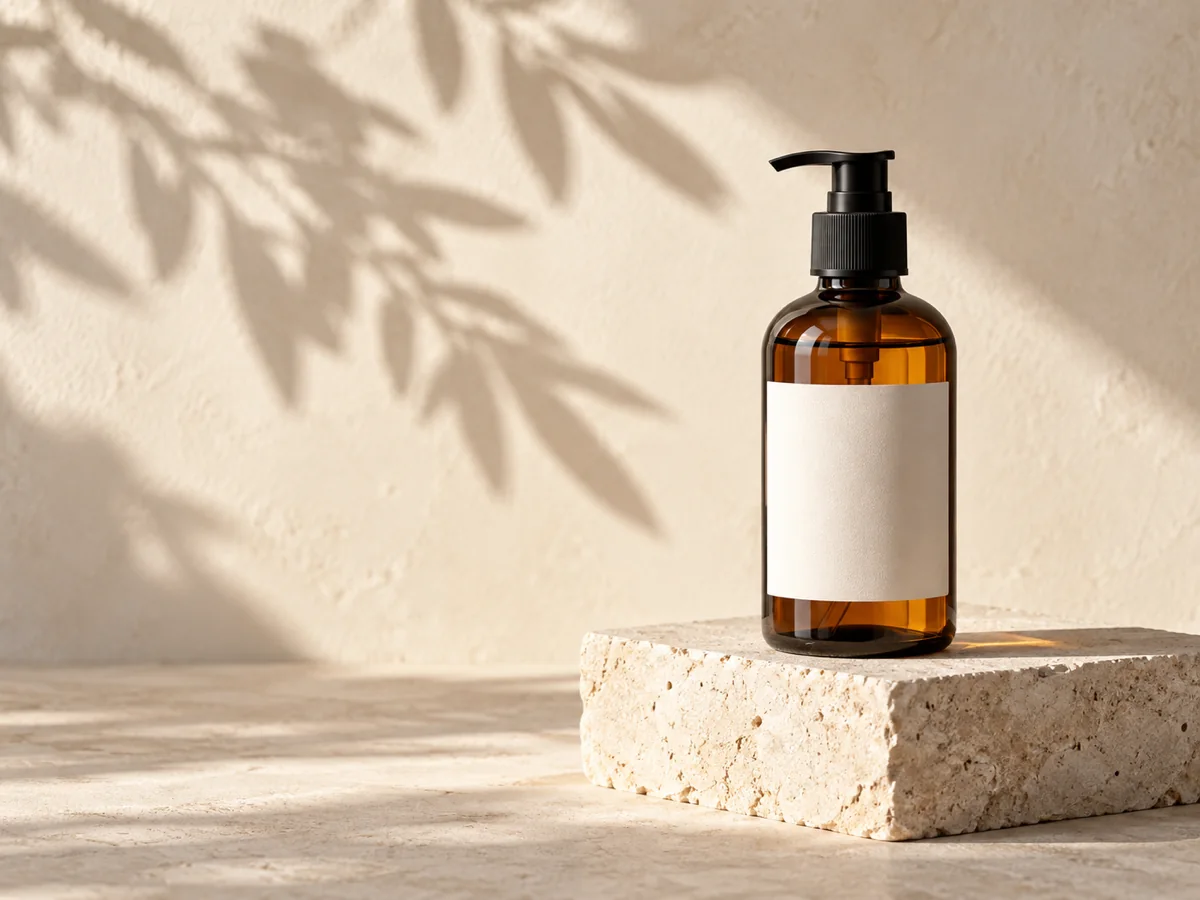
Create a premium skincare campaign photograph. One unbranded amber glass pump bottle on an ivory limestone plinth, warm morning side light, a soft olive branch shadow, realistic glass reflections. Landscape 4:3 composition with generous negative space on the left. No text, no logos, no extra bottles.
A launch poster with exact words
Put the headline in quotation marks and keep it short. Specify where the words belong, then inspect spelling, spacing and contrast at the final display size. For a reusable campaign, keep editable typography in your design file too.
Read the prompt
Design a finished editorial coffee poster, landscape 4:3. Sculptural white ceramic espresso cup and saucer on a terracotta tabletop, dramatic morning shadow, cream background. Set exactly "SLOW MORNINGS" in large elegant dark brown type across the top. Only these two words; no other lettering, no logos, no watermark.
A controlled second version
Start from a result you like, then request one change at a time. This makes it easier to spot unwanted changes to the product silhouette, camera angle or composition. Describe the region to change and explicitly ask to preserve the rest.
Read the prompt
Keep the same amber pump bottle, limestone plinth, bottle proportions, framing and camera angle. Replace the warm ivory background with a muted slate blue studio background. Keep the product label area blank and preserve realistic glass reflections. Do not add objects or text.
How to generate and edit with Images 2.5
1. Define the deliverable
Describe the subject, composition, light and output context. Put exact text in quotation marks. Start with one output while checking a new brief.
2. Select the model and settings
Choose Flare or Sunburst, an aspect ratio and 1K, 2K or 4K resolution. Start at 1K for an initial draft and use a higher resolution for a larger final image.
3. Make a controlled edit
Switch to Edit and upload references. Say what must remain and what may change. Describe one change at a time and inspect the result before the next revision.
4. Inspect, revise and download
Check typography and product details. Use Edit this image for another revision or download the result. Keep one change per iteration when you need to understand what improved.
The workbench accepts up to 16 references and produces one image per request. Choose from 13 aspect ratios and 1K, 2K or 4K resolution. Auto lets the model choose the ratio. Local uploads are limited to 20 MB each. These controls follow what the model exposes; ChatGPT’s Sketch and comment interface are separate product features.
GPT Image 2.5 vs GPT Image 2.0: what actually changes?
The controls and credit costs below are the ones IMG AI exposes for each model. Capability claims about edit quality come from official positioning, not from an independent benchmark, so keep the brief, references, aspect ratio and resolution comparable when testing.
GPT Image 2.0 vs GPT Image 2.5 capability and credit comparison
Specification
GPT Image 2.0
GPT Image 2.5
Model variants
GPT Image 2.0: one model, used for text-to-image and image editing.
GPT Image 2.5: two variants, Flare and Sunburst, each with generation and editing.
Resolution
1K, 2K and 4K.
1K, 2K and 4K.
Aspect ratios
16 ratios including Auto, with limits above 1K: Auto is 1K only, 1:1 is unavailable at 4K, and 5:4, 4:5, 3:1, 1:3 and 9:21 stay 1K only.
13 ratios including Auto, all selectable at every resolution.
Reference images per request
Up to 8 references in the IMG AI workbench.
Up to 16 references, and a finished result can become the next reference.
Credits per image on IMG AI
10 at 1K, 12 at 2K, 18 at 4K.
20 at 1K, 30 at 2K, 40 at 4K, for either variant and either mode.
Prompt length
Up to 20,000 characters.
Up to 20,000 characters.
Editing and speed
The established baseline; judge preservation against your own reference, not a version number.
OpenAI reports better consistency through edits. Sunburst trades longer generation for precision; no fixed completion time is promised.
Flare vs Sunburst: iteration speed or fine detail?
For a first campaign direction, start with Flare. When a near-final output fails on small material details or a precise edit, test Sunburst on that same brief. There is no benefit in paying for four variations before checking whether one obeys your requirements. Both variants expose the same controls here; their intended precision and latency tradeoff is the reason to compare them.
The workbench shows your IMG AI credit charge before submission. Each image costs 20 credits at 1K, 30 at 2K or 40 at 4K, for both Flare and Sunburst, generation and editing. Credits are reserved once per request; retrying a saved request reuses its identity. A confirmed failed task returns its credits. If a provider response is uncertain, the request stays saved for recovery rather than starting another paid generation.
IMG AI credits pay for the complete workflow, including generation, editing and saved task recovery. Credit packages are separate from ChatGPT subscriptions and any direct model API billing. View IMG AI plans and credits.
GPT Image 2.5 frequently asked questions
What is GPT Image 2.5?
GPT Image 2.5 is the image model family introduced alongside ChatGPT Images 2.5 on September 8, 2026. Its API variants are Flare, intended for most applications, and Sunburst, intended for work that needs more precision and allows longer generation times.
Are Images 2.5 and GPT Image 2.5 the same thing?
They refer to the same release family, but to different surfaces: ChatGPT Images 2.5 is the ChatGPT product experience; GPT Image 2.5 Flare and Sunburst are API models. IMG AI is an independent service that provides those models through its own workbench. A ChatGPT subscription does not pay for IMG AI credits.
Should I choose Flare or Sunburst?
Start with Flare when you are exploring ideas or producing routine variations. Consider Sunburst when small details and carefully scoped edits justify extra waiting. Compare both with the same brief and settings before committing a campaign budget; model positioning is not a guarantee that every output will be better.
Can I edit an image instead of generating a new one?
Yes. Choose Edit, upload one or more references and describe what to change and what to preserve. You can use a completed result as the next reference. Up to 16 references are supported; IMG AI accepts PNG, JPEG and WebP files up to 20 MB each.
Which image sizes can I choose?
Choose 1K, 2K or 4K resolution and one of 13 aspect ratios, including Auto. The model determines the exact output dimensions. IMG AI does not currently expose a separate transparency or export-format control.
Does IMG AI include ChatGPT Sketch or comment editing?
This page offers prompt-based generation and editing, reference uploads and result-to-edit reuse. ChatGPT Sketch, shared templates and its comment editing interface belong to the ChatGPT product and are not reproduced here.
Is GPT Image 2.5 free on IMG AI?
Generation and editing use IMG AI credits. The workbench shows the credit charge for your selected settings before submission. Each request creates one image: 1K costs 20 credits, 2K costs 30 and 4K costs 40, for either variant and either mode. Review the IMG AI pricing page for credit packages.
What should I check before using an image commercially?
Inspect text, product details, faces, edges and any factual information. Use reference material you have permission to use and review the applicable service terms. This tool does not verify trademarks, ownership or the truth of claims printed inside an image.
Sources and model documentation
Reviewed September 9, 2026. Model capabilities and availability can change; these are the primary references used for this page.